
When I finally replaced my old iPad after nearly nine years, I thought the difficult decision was over.
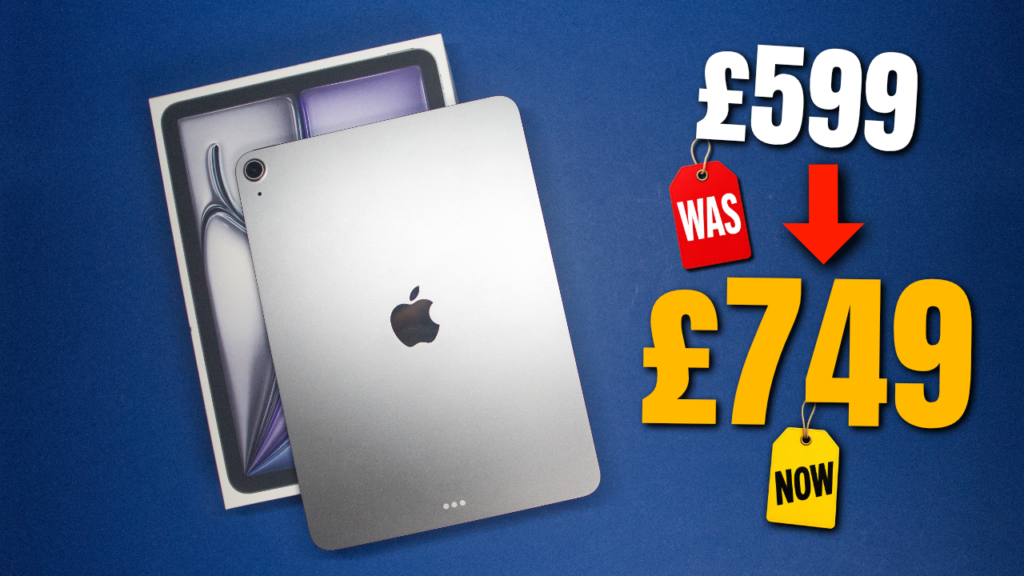
I bought the base M4 iPad Air for £599, traded in my ageing 2017 iPad Pro and started what I hoped would be another very long relationship with an iPad.
Then, just weeks later, the price changed.
The same M4 iPad Air that cost me £599 was now £749.
That’s a £150 increase without moving to a larger screen, adding more storage or changing the specification.
And that raises a much more interesting question than simply asking whether the M4 iPad Air is a good tablet:
Knowing what I know after actually using it, would I still buy one for £749?
The short answer is yes.
The longer answer is considerably more interesting.
Why I Finally Replaced My Old iPad
My previous iPad was a 2017 iPad Pro.
And I kept it for nearly nine years.
During that time, it became part of my creative journey. I used LumaFusion to edit some of my earliest YouTube videos on it, planned content, wrote notes, researched ideas and generally found ways to keep using it long after much newer iPads appeared.
It wasn’t necessarily broken when I replaced it.
It had simply reached the point where “it still works” and “it still works well for what I need” were becoming two different things.
That’s an important distinction.
I don’t believe technology suddenly becomes useless when a new model arrives. In fact, I’m generally the opposite. If something continues doing what I need it to do, I’ll keep using it.
Eventually, though, the compromises of using an ageing iPad began adding up.
So I traded it in and bought the M4 iPad Air.
Why the M4 iPad Air?
Apple’s iPad lineup essentially gives you three obvious places to look.
The standard iPad gives you the more affordable entry point.
The iPad Pro gives you the premium experience.
And then there’s the Air.
For me, that’s the sweet spot.
The M4 chip gives me considerably more performance than I’m likely to need from a tablet today, but that’s actually part of the attraction.
After keeping my previous iPad for nearly nine years, I’m not buying an iPad with the expectation of replacing it next year.
Or the year after that.
I want something with enough performance that my needs can grow without immediately outgrowing the device.
That’s where the M4 Air makes a lot of sense.
Is the M4 iPad Air a Good First iPad?
I think it might be one of the easiest iPads to recommend to someone who has never owned one before.
The standard iPad will absolutely be enough for plenty of people, particularly if your needs are relatively simple.
But the Air gives you considerably more room to grow.
You can use it for everyday browsing, streaming and emails, but there’s enough performance available if you later decide to start editing photos, working with video, drawing with the Apple Pencil or doing more demanding work.
The iPad Pro takes things further again, particularly with its display and premium features.
But that’s where I’d ask a different question:
Do you actually need those things?
If you already know why you need the Pro, then there’s a good chance the Pro is the right choice.
For everyone else, the Air occupies a very compelling middle ground.
Although at £749, that middle ground isn’t quite as affordable as it used to be.
Upgrading From an Older iPad
If you’re coming from something considerably older, as I was, this is where the M4 Air becomes very easy to appreciate.
Everything just happens.
Apps open quickly.
Multitasking feels effortless.
The Apple Pencil experience is excellent.
And perhaps most importantly, I don’t find myself thinking about whether the iPad can handle something before trying it.
That’s something I’ve started valuing more and more with technology.
The best technology often disappears into the background.
You stop thinking about processors, memory and specifications and simply get on with whatever you were trying to do.
That’s largely been my experience with the M4 Air.
If you’re already using a relatively recent iPad, however, I wouldn’t automatically tell you to upgrade.
A new model existing isn’t a good enough reason.
Ask yourself what your current iPad isn’t doing.
If you can’t think of an answer, keeping it might be the smartest upgrade decision you can make.
Why I Haven’t Bought a Keyboard
This is probably one area where my approach differs from some iPad users.
I don’t have a keyboard for my M4 iPad Air.
And that’s deliberate.
I already own a MacBook Air.
For me, once I start attaching a keyboard and trackpad and trying to turn my iPad into something resembling a laptop, I’m moving it into territory already occupied by another device.
I don’t want another laptop.
I want my iPad to be a tablet.
It’s something I can pick up while sitting on the sofa.
I can grab the Apple Pencil and make some notes.
Research a video idea.
Read an article.
Watch YouTube.
Plan content.
Then, when I need to do heavier work, I move over to my MacBook.
The two devices aren’t competing with each other.
They have different jobs.
And I really like that.
What About Switching From Android?
I don’t think you should move from an Android tablet simply because someone tells you an iPad is better.
That’s far too simplistic.
There are some excellent Android tablets available, and if your current setup works for you, there’s absolutely nothing wrong with staying where you are.
Instead, I’d look at what you’re hoping to gain by switching.
For me, one of the strengths of the iPad isn’t necessarily one individual specification.
It’s everything surrounding it.
The software.
The apps.
The accessories.
The long term support.
And, if you already own other Apple devices, how everything works together.
Which leads into something I’ve gradually realised about my own setup.
I Accidentally Bought Into the Apple Ecosystem
I’ve never really thought of myself as someone who buys into ecosystems.
I’ve always bought products because they solve a problem.
But look around my setup today and it’s difficult to argue that I haven’t bought into Apple’s.
I use an iPhone.
I have a MacBook Air.
There’s an M4 Mac mini on my desk.
And now I have an M4 iPad Air.
It wasn’t some grand plan.
It happened quietly because those products work for me and, importantly, work well together.
I can start planning a video on my iPad and continue later on my MacBook.
I can AirDrop something from my iPhone.
Notes appear across my devices.
Things simply move with me.
Individually, none of that sounds revolutionary.
Together, it removes lots of tiny pieces of friction from my creative workflow.
And those little things add up.
But I’m Not Loyal to Apple at All Costs
My watch proves that.
I used an Apple Watch for years.
As running became a much bigger part of my life, however, I realised that a Garmin suited my needs considerably better.
So I changed.
That’s ultimately how I think technology should be chosen.
Not because of the logo on the front, but because of what it helps you do.
Right now, most of Apple’s products happen to fit my creative lifestyle extremely well.
If something else works better for me, I’m perfectly happy to use that instead.
What Would I Change About the M4 iPad Air?
There are still compromises.
One is Face ID, or rather, the lack of it.
Touch ID in the power button works perfectly well, but after becoming accustomed to Face ID elsewhere, I’d like to see it make its way onto the Air.
Then there’s the display.
Don’t misunderstand me, I think the Air’s display looks great.
For everything I personally do on it, I’ve got very little to complain about.
But it isn’t the OLED display you’ll find on the iPad Pro.
If having the absolute best display available is one of your priorities, that’s a genuine reason to consider spending more on the Pro.
And then we have the biggest change since I bought mine.
From £599 to £749
I was incredibly lucky with my timing.
When I bought my base M4 iPad Air, I paid:
£599
Just weeks later:
£749
According to BBC reporting, rising memory and storage chip costs have contributed to increasing hardware prices.
Whatever is happening further up the supply chain, as consumers we’re ultimately left with a very simple reality:
The same device now costs considerably more money.
And that matters when deciding whether something represents good value.
Would I Still Buy the M4 iPad Air for £749?
This is the question I’ve kept coming back to.
And my answer is:
Yes.
But it’s a more considered yes than it would have been at £599.
At £599, I thought the M4 iPad Air made an extremely strong argument for itself.
At £749, I’d spend more time considering the alternatives.
I’d look at the standard iPad.
I’d consider whether I genuinely need M4 performance.
I’d look at how close the price is to other models and configurations.
But ultimately, for my needs, I think I’d still arrive back at the Air.
It isn’t Apple’s cheapest iPad.
It isn’t Apple’s most advanced iPad.
But I think it gets the balance right.
And sometimes the best product isn’t the one that wins every specification comparison.
It’s the one that fits into your life so naturally that you stop thinking about it.
That’s what the M4 iPad Air has started becoming for me.
Who Should Buy the M4 iPad Air?
If you’re buying your first iPad, I’d put the Air very high on your shortlist if your budget allows it. It gives you plenty of room to grow without immediately stepping into Pro territory.
If you’re upgrading from a genuinely old iPad, the difference should be substantial. But don’t upgrade simply because your current model isn’t new anymore.
If you’re moving from Android, think about the ecosystem rather than simply comparing processors. Look at the apps you use, your other devices and what you actually want from your tablet.
And if you already own a recent iPad Air, I’d think much more carefully. If your current device still does everything you need, there’s nothing wrong with keeping it.
Nearly Nine Years Later…
There’s something slightly strange about replacing a piece of technology you’ve owned for almost nine years.
My old iPad wasn’t simply another gadget sitting around the house.
It had been there through a significant part of my creative journey.
It helped me make some of my earliest YouTube videos.
It helped me learn.
It helped me create.
Eventually, though, it was time for something new.
The M4 iPad Air is the beginning of that next chapter.
And if this one lasts even half as long as the iPad it replaced, I’ll be a very happy creator.
Because that’s ultimately how I judge whether technology was worth buying.
Not by how exciting it feels when I first take it out of the box.
But by whether I’m still happily using it years later.
Watch the Full M4 iPad Air Video
If you’d rather watch than read, I’ve made a full video about my experience with the M4 iPad Air, including my upgrade from the 2017 iPad Pro, how I use the Air as part of my creator workflow, and whether I’d still recommend buying one following the price increase.